Edit the text that is already there
Click a run of existing text and retype it. Size, font, weight, ink and background colour are read off the page, so the replacement matches. Clear the box to delete the words instead.
 Version 1.0 · works on Chrome 114+
A full editing surface — retype the text already on the page, annotate, truly redact, sign, and build interactive forms — running entirely inside your browser tab. No server, no account, no upload. Close the tab and nothing is left behind.
Free and open source · no sign-up · no watermark · no page limit
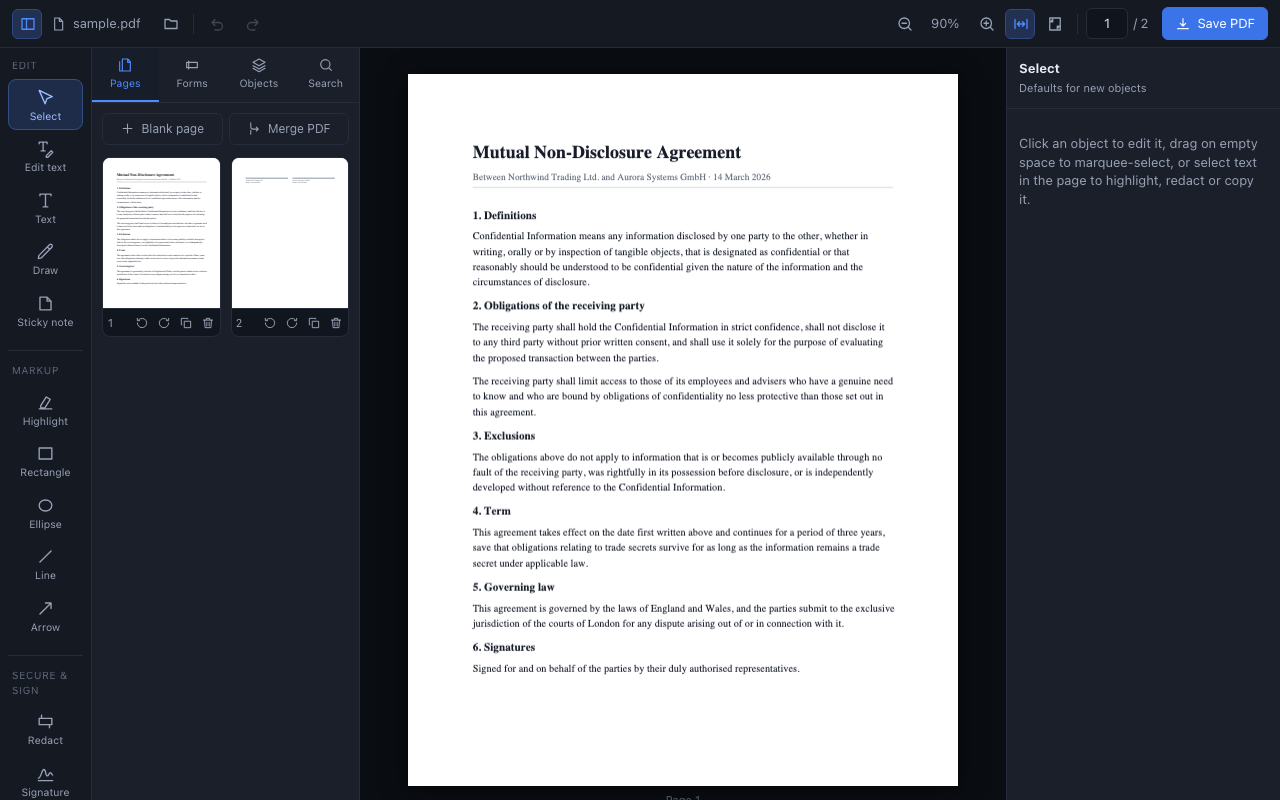
Fourteen tools, a live inspector for whatever is selected, and undo across every one of them — including page operations.
Click a run of existing text and retype it. Size, font, weight, ink and background colour are read off the page, so the replacement matches. Clear the box to delete the words instead.
Text boxes with full typography, freehand ink, sticky notes that export as real PDF
/Text annotations, and images (PNG, JPEG, WebP) that downscale
themselves.
Highlight, rectangle, ellipse, line and arrow — each with colour, thickness, fill and opacity, free rotation by handle or slider, and snapping to right angles.
Not a black rectangle on top. Redacted pages are re-rendered as images on export, so the words underneath are gone from the file — unrecoverable by copy-paste or search.
Draw with mouse, trackpad or stylus; type in one of four script faces; or upload a photo and have the white background knocked out. Saved locally, reusable anywhere.
Text, multiline, checkbox, dropdown, radio group, date and signature fields export as genuine AcroForm fields. Existing fields are listed, editable, and flattenable on save.
Reorder pages by drag, rotate, duplicate, delete, insert blanks, or merge a second PDF in — with the same undo stack as everything else.
Full-text search, page thumbnails, zoom / fit-width / fit-page, Ctrl+wheel zoom, and select-and-mark straight on the page.
One history across annotations and page operations, plus a guard so a tab with unsaved work does not close by accident.
Most tools draw a filled rectangle over the words and call it done — the text is still in the file, one copy-paste away. This one rebuilds the page.
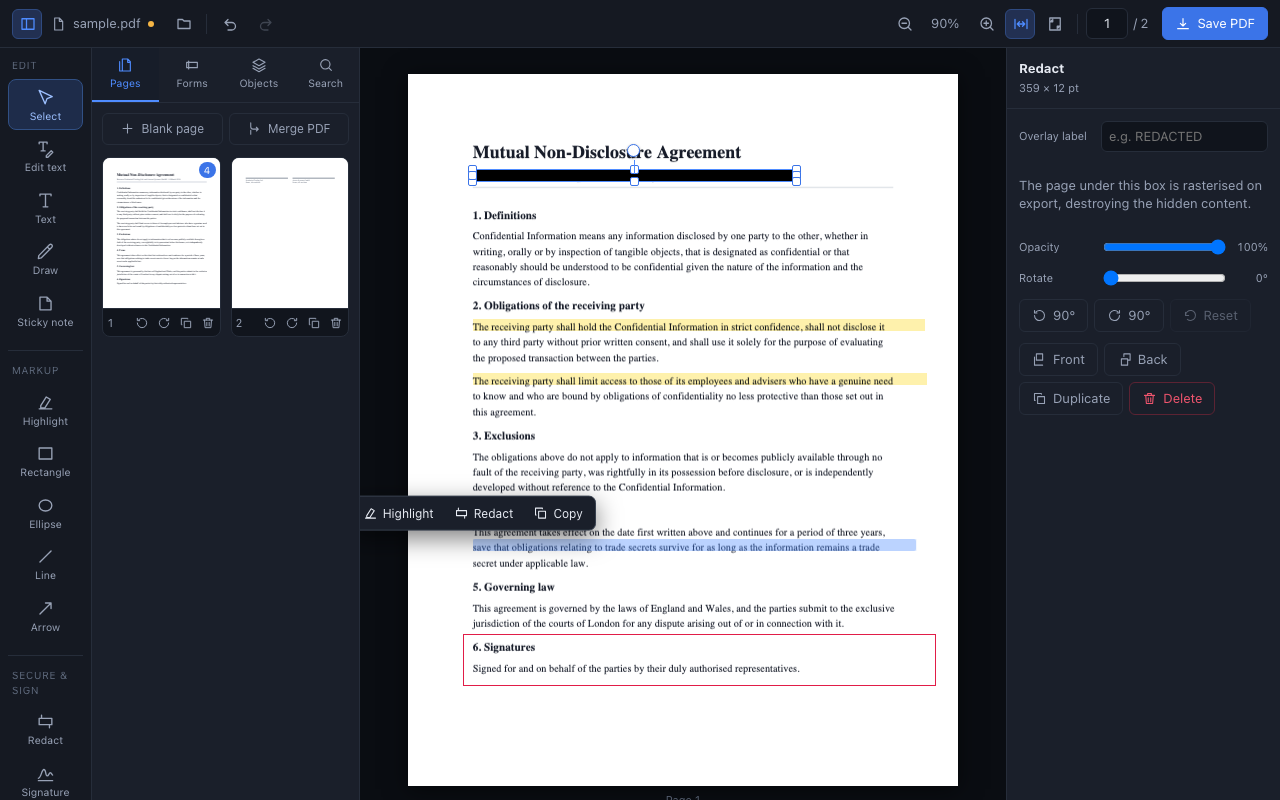
Draw it, type it, or photograph the one you already have. Whichever you pick, the signature is stored on your own device and ready for the next document.
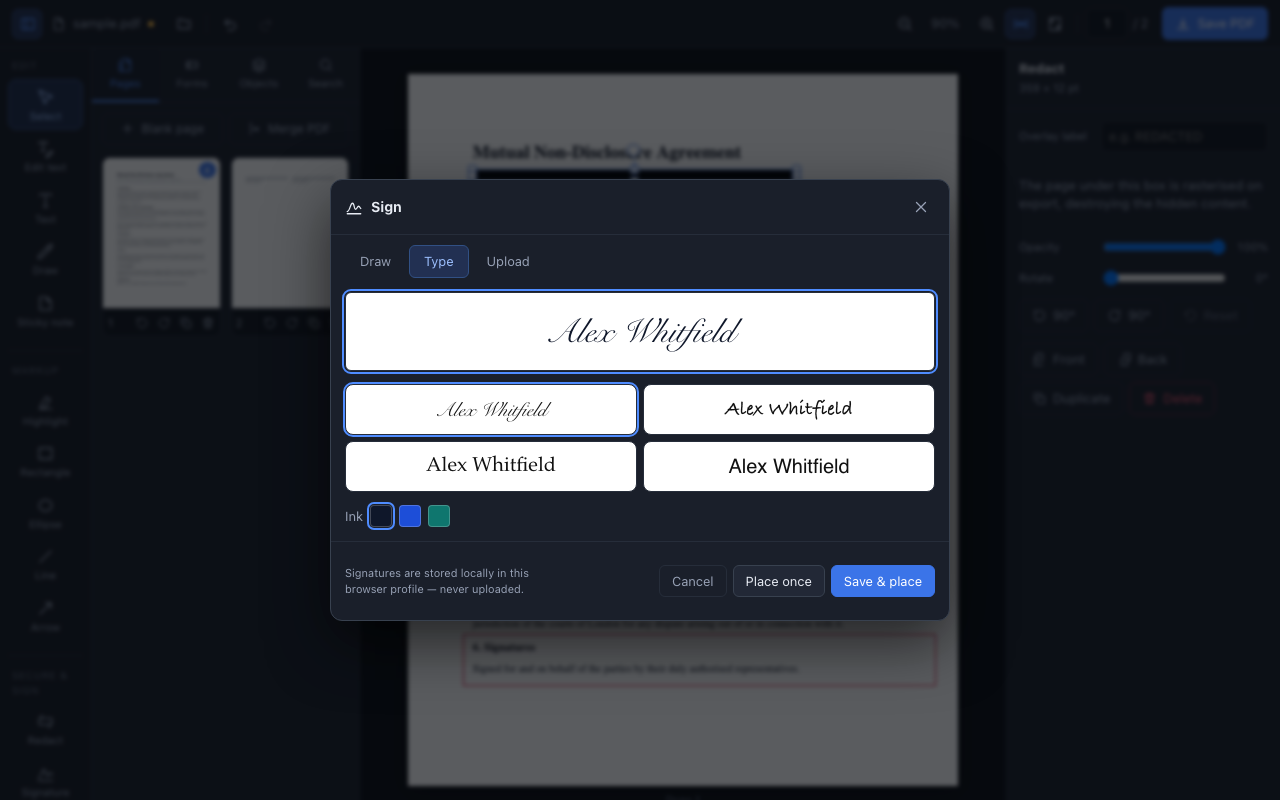
Select text straight on the document and a popover offers highlight, redact or copy. Or draw the shape you need — every object rotates freely, and resizing stays correct at any angle.
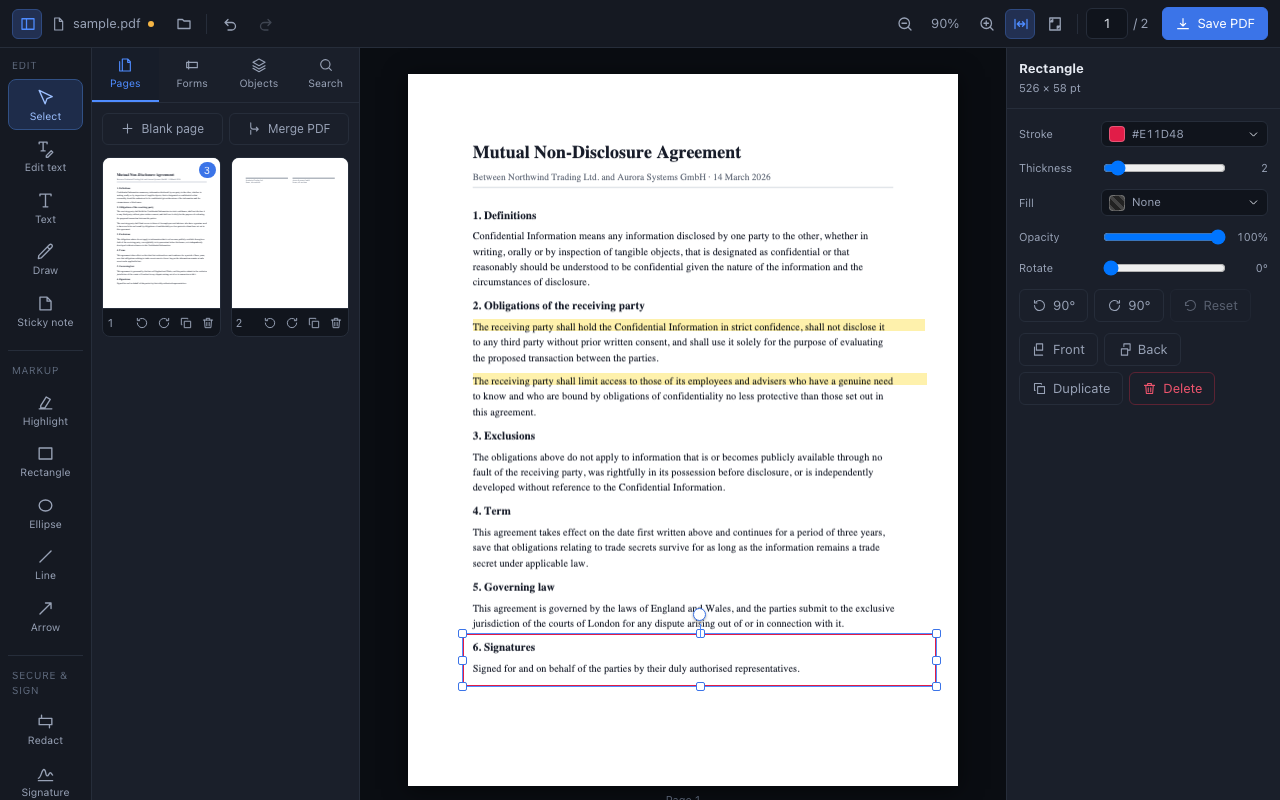
Click the icon and drop a file in, or pick one from your computer.
Open any PDF in Chrome and press the Edit in PDF Editor for Chrome button that appears on the page.
Right-click a link that points at a PDF and choose Open in PDF Editor for Chrome.
For files on your own disk (file:///…), Chrome requires
Allow access to file URLs on the extension's details page — or just drag the file
into the editor, which always works.
That is not a policy promise layered over a backend — the extension simply does not have one. Here is everything that touches storage or the network.
| What | Where it goes | Why |
|---|---|---|
| Your document | The memory of the editor tab. Nowhere else. | To render and edit it. Gone when the tab closes. |
| Signatures you save | Local extension storage, this device only. Not synced. | So you can reuse one on the next document. |
| Editor preferences | Local extension storage, this device only. | So the editor opens the way you left it. |
| Network requests | Only your browser fetching a PDF you pointed it at. | The same request clicking the link would have made. |
| Analytics, telemetry, crash reports | None. No third parties, no remote code. | — |
Mozilla's pdf.js reads, pdf-lib writes, React and TypeScript hold the surface together. About 300 KB gzipped, MIT/Apache licensed all the way down — no WASM blob, no commercial SDK, no remote script.
Every annotation lives in page display space — PDF points, origin top-left, after rotation. The single conversion happens in the exporter, and the test suite re-extracts text positions from exported files to prove it across all sixteen rotation combinations.
Bundled worker, isEvalSupported: false, a CSP that allows only the
extension's own scripts. Nothing is fetched at runtime, so nothing can be swapped out
underneath you.
Editing page text covers and redraws rather than rewriting content streams; text annotations use the standard 14 fonts; encrypted PDFs open read-only. All of it is documented rather than glossed over.
No. The extension has no backend. A PDF you open is read into the memory of the editor tab, edited there, and written back out when you save. The only network request involved is your browser fetching a file you explicitly pointed it at.
On export, every page carrying a redaction is re-rendered as an image before the black boxes are drawn, so the characters underneath are no longer in the file — copy-paste and text search cannot recover them. The trade-off is that those pages lose selectable text, which the dialog tells you before you save.
Yes, within stated limits. Click a run of text and retype it: size, weight, ink colour and background are sampled off the page so the replacement matches. It covers and redraws the run rather than rewriting the content stream, so it works one line at a time, in the closest standard font, with no reflow. Leaving Burn in text edits on removes the original wording from the file.
Yes. Rendering, editing and export all run locally on bundled code. Once installed, no connection is needed — except to fetch a PDF that lives on a website.
Yes. Text, multiline, checkbox, dropdown, radio group, date and signature fields export as genuine interactive AcroForm fields any reader can fill. Fields already in a document are listed and editable, and can be flattened on save.
One caveat, stated in the UI: inserting a blank page or merging another PDF rebuilds the document and does not carry AcroForm fields across.
Broad host access is not granted at install time. It is requested only at the moment you ask to edit a PDF hosted on a website, and only for that site's origin, so the file can be fetched. If you decline, you can still drag the file into the editor.
Drag the file into the editor — that always works. To use the right-click menu on
file:/// URLs, switch on Allow access to file URLs on the
extension's details page in chrome://extensions.
Nothing. No account, no subscription, no page limit, no watermark, no telemetry.
Installs in a click, works on the first document you throw at it, and never asks who you are.
Chrome 114 or later · Edge, Brave and other Chromium browsers too